Eversince gives your agent the tools to understand, organize, create, and edit media, with you or for you.



 Copy setup prompt for your agentCopy setup prompt for your agentPaste to your agent
Set up Eversince for me. Read https://eversince.ai/get-started.md and follow it.
What your agent can do
Everything your agent needs
Understand
Inspect video, images, and audio. Find specific moments and spoken words.
Edit
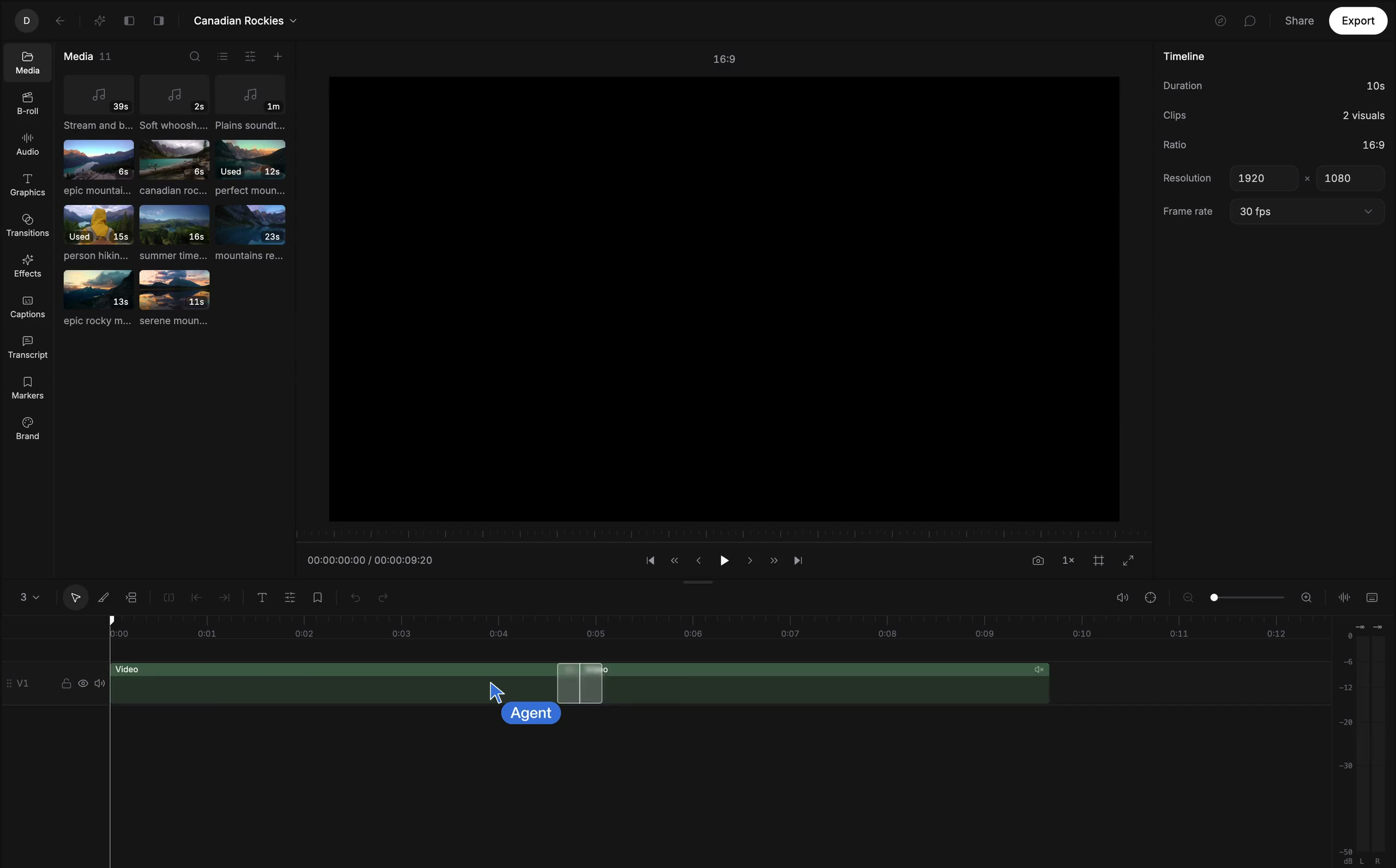
Edit real timelines and layered designs with precise control over every element.
Remember
Keep footage, brand kit, and projects in the workspace between sessions.
Collaborate
Share previews, take comments, and work on projects together.













Get started
Connect your agent. Add media. Start creating.
Copy setup prompt for your agentCopy setup prompt for your agentPaste to your agentQuestions & Answers
What is Eversince?
Eversince is a media workspace you share with your agent. Your agent gets the tools to understand, edit, and create media, and your projects stay in one place between sessions.
How do I connect my agent?
Copy the setup prompt at the top of this page and paste it into your agent. Your agent reads the instructions and walks you through the connection.
Which agents work with Eversince?
ChatGPT, Claude, Muse, Grok Bot, Dots, Cursor, Codex, Claude Code, and any agent that supports MCP, the REST API, or the CLI.
Can I use my own footage?
Yes. Bring in videos, images, audio, and documents from your computer or phone. With the desktop app, your agent can work directly with the files on your computer.
Where do I see my agent's work?
In your agent's chat and in your feed in Eversince, where you can review, open in the editor, or comment to ask your agent for changes.
Is Eversince free?
Editing, transcribing, and exporting on your computer are free. Cloud processing, cloud storage, and AI generation are paid. See pricing